Kakobuy Eyewear Case Coupon: Item, Fees, Shipping
If you're about to order an eyewear case, seeing a "coupon" doesn't necessarily mean the item price will drop. The currently available public information only shows a "shipping coupon with no minimum purchase" promotion, which cannot be used to prove that the eyewear case item itself, service fees, or all shipping costs can be deducted. Ultimately, the actual deduction shown on the Kakobuy official checkout page should prevail.
First, Separate the Three Amount Types
Eyewear case orders should at least be broken down into item amount, service fee, and shipping fee. Which item the coupon applies to cannot be judged solely by the coupon name or the promotion on the product page.
| Fee Item | Key Checkpoints | What Cannot Be Directly Inferred |
|---|---|---|
| Item Amount | Whether the coupon explicitly includes the target product or corresponding category | Cannot assume it's applicable just because the product is an accessory |
| Service Fee | Whether the checkout page lists the service fee and deduction amount separately | A shipping coupon does not equal a service fee discount |
| Shipping Fee | Whether the coupon specifies the shipping method, region, and order stage | Cannot assume all shipping fees can be deducted |
Confirm the Target Product and Variant Before Ordering
First, open the official product page for the eyewear case and confirm the name, specifications, quantity, and currently selected variant. If the same page has multiple sizes, colors, or packaging combinations, record the actual options you plan to purchase, because coupon restrictions may target product categories, variants, or order conditions, not all options on the page.
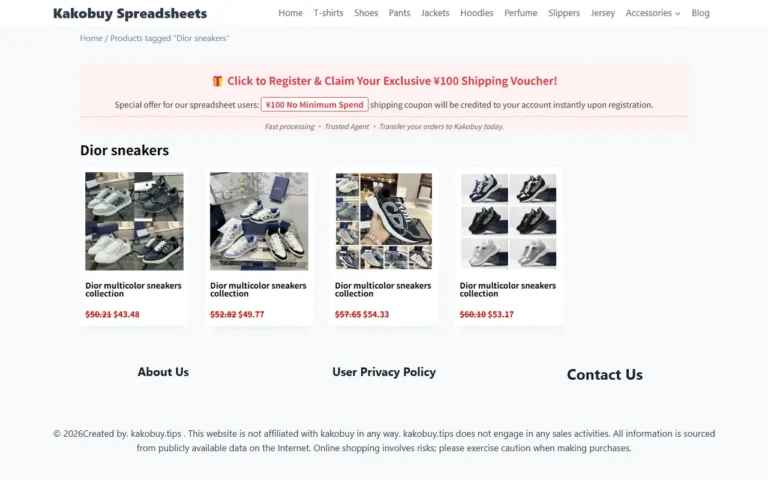
Do not treat the product display price on third-party pages as the Kakobuy official checkout amount, and do not judge the coupon's applicable scope based solely on product tags. The currently provided public evidence can only support the existence of a "shipping coupon promotion" and cannot support that the eyewear case item itself has received a discount.
Record Coupon Information in Order
After entering the account coupon or checkout-related page, confirm the following in order:
- Whether the coupon has been claimed or activated.
- Whether the coupon name corresponds to the item, service, or shipping fee.
- Whether there are minimum purchase, designated category, designated shipping method, region, or validity period restrictions.
- Whether the current order meets the usage conditions.
- Under which fee field the coupon amount is displayed.
If the page only says "shipping coupon" or similar wording, treat it as a shipping coupon and do not over-interpret it as an item discount or service fee reduction. If the page does not clearly state the applicable product or fee item, maintain uncertainty and continue to verify on the checkout page.
View Actual Deductions on the Checkout Page
Before submitting the order, focus on whether the fee details separately list the item amount, service fee, shipping fee, coupon amount, and amount due. The ideal verification result should show exactly which item the coupon reduced, rather than just showing a change in the total amount.
You can judge in the following ways:
- Item amount decreased, service fee and shipping fee unchanged: The coupon may only apply to the item portion.
- Item amount unchanged, shipping fee decreased: The coupon is more likely a shipping coupon.
- Neither service fee nor shipping fee changed, but a separate coupon field appears: Need to confirm the fee item corresponding to that field.
- The page shows it's claimed, but the checkout amount hasn't changed: The order may not meet the conditions, the coupon may not yet apply to the current stage, or the page hasn't refreshed.
Don't just compare total prices. If you add different coupons, change shipping methods, or adjust quantities, the item amount, service fee, and shipping fee may all change simultaneously, and looking at the total alone cannot determine what the coupon actually deducted.
How to Handle Anomalies
If the coupon doesn't take effect, first categorize by cause:
- Not claimed: Go back to the coupon page to confirm whether the account has claimed or activated it.
- Threshold not met: Check the minimum purchase, quantity, category, or shipping conditions.
- Category exclusion: Confirm whether the eyewear case is excluded from the applicable scope.
- Page not refreshed: Re-enter the checkout page and check whether the fee details have updated.
- Fee item mismatch: Confirm whether the coupon only targets shipping fees and cannot deduct item amount or service fees.
If you still cannot confirm after refreshing and rechecking, pause payment, keep the fee details on the checkout page, and ask Kakobuy official customer service about the fee item the coupon applies to. Do not calculate the final amount due based on third-party product page promotions.
Pre-Payment Checklist
Before proceeding with payment, at least confirm:
- The target eyewear case and variant are correct.
- The coupon is clearly shown as available.
- Item amount, service fee, and shipping fee are displayed in separate columns.
- The fee item corresponding to the deduction amount is clearly visible.
- Shipping method and region meet the coupon conditions.
- The final amount due matches the checkout details.
As long as any one of these cannot be confirmed, do not treat the coupon as effective. The current evidence is insufficient to prove that the eyewear case item itself can receive a discount, nor is it sufficient to prove that the service fee will be reduced; the only confirmable scope is the existence of a shipping coupon promotion on public pages, and the actual applicable scope still depends on the Kakobuy official checkout page.
Article Image