Kakobuy Accessory QC Evidence
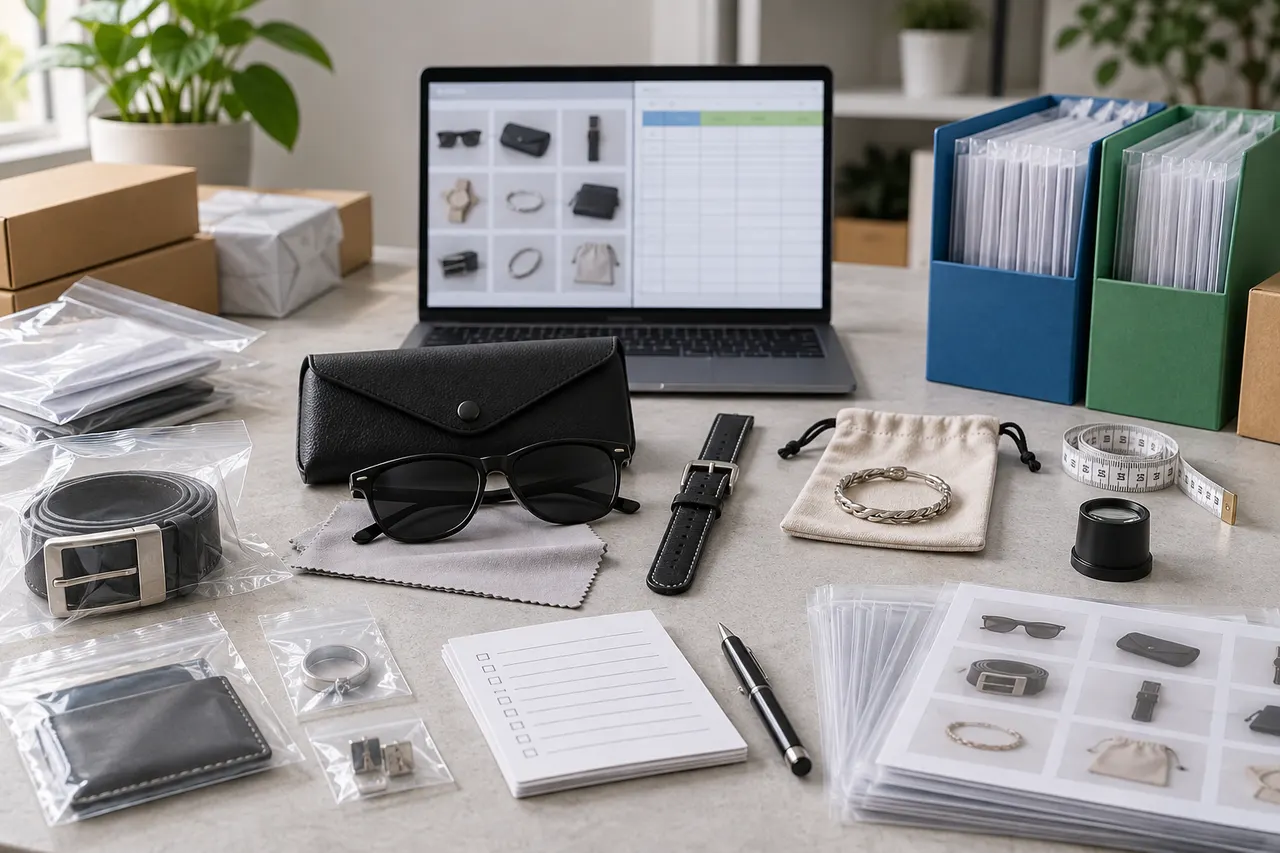
QC archiving for accessory products is not just about saving warehouse photos. For items like bags, hats, glasses, belts, jewelry, and charms, value assessment often hides in details: whether hardware is scratched, whether dimensions are close to the product page, whether accessories are complete, whether packaging affects shipping, and whether defects need additional photos.
This article is suitable for users who have already placed orders on kakobuy, have items in the warehouse, and are preparing to organize QC evidence to decide on returns, exchanges, consolidation, or shipping. It is not suitable for determining authenticity, guaranteeing materials, promising seller quality, or writing off image observations as final quality conclusions. Verification date: 2026-09-08; the following platform information is based on the provided kakobuy service description, and actual pages, routes, fees, and return/exchange rules should still be based on what is displayed in the account at the time of ordering.
Why Accessory Products Need Itemized QC Review
Accessories, unlike T-shirts or shoes, cannot be mostly judged by size, color, and quantity alone. Many issues do not appear in the first front-facing photo but are scattered across edges, fasteners, temple tips, chains, zippers, stitching, brim curves, and packaging accessories.
kakobuy's inspection rules focus on checking style, quantity, color, size, model, and other appearance information, and conducting prohibited item screening. For sealed packaging products, as well as some non-clothing, bags, and shoes with seal labels or seal strips, they usually do not open the package for inspection, but check for outer packaging damage and determine if there is a shipping error based on outer packaging information.
This means the core of accessory QC is not to ask "can the warehouse guarantee quality," but to organize the visible evidence from the warehouse into records that support the next decision:
- Whether it matches the style, color, and quantity of the ordered product
- Whether there is obvious damage, deformation, stains, scratches, or missing parts
- Whether to handle within the 120-hour return/exchange window
- Whether to request additional detail photos
- Whether it is suitable for consolidation, or should be split to reduce risk
- Whether there are route restrictions, volumetric weight, or customs documentation issues 📦
Distance Between Images and Product Information in kakobuy Website-Style Spreadsheet
Many users will first view warehouse photos, product information, order status, and logistics options centrally within the kakobuy website. This method is fast and suitable for initial screening but not for long-term archiving.
The website-style spreadsheet or order list usually has a natural advantage: images, product titles, order status, amounts, warehouse information, and action buttons are in the same environment, making it easy to quickly decide "should I handle this now?" If you only bought 1 to 3 accessory items, central image viewing is usually sufficient.
The problem is that accessory QC often requires horizontal comparison and follow-up tracking. For example, a bag has slight scratches on hardware, a hat's brim angle is unclear, a pair of glasses lacks box photos. Relying only on website page screenshots, it's easy to forget the basis of judgment days later, and difficult to manage statuses like "additional photo requested," "waiting for customer service reply," "can be consolidated," "not recommended to ship" uniformly.
Central image viewing is more suitable for:
- Few products, and all low-risk small items
- Only need to confirm color, quantity, and obvious appearance
- Haven't decided on return/exchange yet, doing first-round screening
- No need to collaborate with others for review
- No need to retain evidence long-term
But if you are buying multiple accessories like bags, hats, glasses, jewelry, belts at once, it is recommended to treat website images as evidence source and Google Sheets as the decision desk. 🧾
How to Record Hardware, Dimensions, and Defect Notes in Google Sheets
The value of Google Sheets is not in being prettier, but in breaking down each judgment to avoid concluding from a single image. For accessory QC archiving table, it is recommended to set up "one product per row, evidence in separate columns, conclusions in a separate column."
| Field | Suggested Record Content | Purpose |
|---|---|---|
| Product ID or Order Number | Identifiable number within kakobuy order, avoid exposing complete personal info | Easy to look back, no privacy leak |
| Product Name | Short name, e.g., black crossbody bag, baseball cap, sunglasses | Quick identification |
| Key Info from Product Page | Color, size, set quantity, visible specs on seller page | Compare with warehouse photos |
| QC Image Links or Screenshot Numbers | Front, back, side, detail photos recorded separately | Prevent evidence mixing |
| Hardware/Fasteners | Zippers, buckles, rivets, temple tips, chains visible abnormalities | High-risk points for accessories |
| Dimension Evidence | Whether size tags, ruler images, packaging dimensions, or product page dimensions exist | Support whether additional photos needed |
| Defect Notes | Only write visible issues, e.g., "suspected indentation on lower left corner" | Avoid subjective exaggeration |
| Next Step | Pass, request additional photos, consult customer service, apply for return/exchange, hold consolidation | Directly drive action |
When recording, separate "observed facts" from "your judgment." For example, write "metal buckle has two light marks on the front, need close-up additional photos," not directly "poor quality." Images can only prove visible appearance, not durability, genuine leather material, long-term wearing comfort, or authenticity.
kakobuy's free storage period is 100 days, and abnormal parcel period is 60 days; the return/exchange note mentions that within 120 hours after warehousing, 5-day no-reason return/exchange is supported, but exceptions apply for custom items, restricted items, adult products, intimate apparel, food, and products where the user has requested removal of packaging, tags, accessories, etc. In the accessory table, it is best to add a separate column "Warehousing Time / Return Deadline" because this directly affects processing priority. ⏱️
General Inspection Dimensions for Bags, Hats, Glasses, and Other Accessories
Different accessories have different QC focuses, and table fields need not be fixed. A more reliable approach is to keep general inspection dimensions and add 2 to 4 category-specific fields.
For bags, key points:
- Are there photos of front, back, bottom, and side?
- Are zippers, buckles, shoulder straps, chains, handles complete?
- Are there obvious indentations, dirt, scratches, or loose threads on the surface?
- Are there photos of the interior and compartments? If not, mark as evidence gap.
- Is the packaging oversized, possibly affecting volumetric weight?
For hats, key points:
- Is the hat shape obviously squashed or deformed?
- Are brim curve, embroidery, patches, adjustment buckle clear?
- Is the color close to the visible images on the product page?
- Is it necessary to keep the outer box or support packaging?
For glasses, key points:
- Are frames, temples, nose pads, hinges visibly tilted or missing?
- Are there photos of accessories like case, cloth, bag?
- Can obvious scratches or stains be seen on lenses?
- Is it a sensitive category possibly subject to route restrictions, requiring transport method confirmation before submitting parcel?
For jewelry, belts, and charms, key points:
- Are quantity and set pieces consistent?
- Are buckle heads, chain clasps, holes, hanging rings complete?
- Are there obvious oxidation, scratches, or color fading on metal surfaces?
- Should small items be individually bagged to avoid friction during consolidation?
These dimensions are not to make every product a complex review, but to bring high-risk details to the forefront early. Accessories may not always be high-priced, but they often have many small defects, heavy reliance on additional photos, and short after-sales windows, so the clearer the archiving, the lower the subsequent communication cost. 🔍
Applicable Scenarios for Central Image Viewing vs Line-by-Line Recording
Central image viewing and line-by-line recording are not mutually exclusive. A more practical process is to first do central initial screening on the kakobuy website, then transfer products that need tracking into Google Sheets.
| Scenario | More Suitable Method | Reason |
|---|---|---|
| 1 to 3 low-priced small accessories | Central image viewing on website | Simple decisions, no need for over-archiving |
| Mix of bags, hats, glasses | Google Sheets itemized recording | Many details, easy to miss |
| Preparing to consolidate and ship | Combination of both | Website for current status, table for risk notes |
| Need customer service additional photos or return/exchange | Google Sheets itemized recording | Easy to track evidence and deadlines |
| Purchasing with friends or team | Google Sheets itemized recording | Easy to share judgment basis |
If you just need to confirm the quantity of a keychain, there's no need to create a dozen columns. If you bought multiple bags, hats, and glasses, and also need to calculate international shipping, consolidation risks, and return windows, the table reduces omissions.
kakobuy's fee structure includes product cost, domestic China shipping, international shipping, and possible customs declaration fee; customs declaration fee is usually shown according to route rules, and the example note mentions it is generally 8 RMB, but specifics depend on transport method. Accessory consolidation may reduce repeat first weight or operational costs, but may also increase volumetric weight, concentrate declared value, and raise single-package loss/damage risk. Therefore, the archive table should not only record QC, but also leave columns for "expected consolidation group" and "whether split shipment recommended."
Evidence Gaps: Which Details Need Additional Photos or Rechecking Product Page
The most common mistake in QC archiving is writing "no problem" when the photo simply didn't capture it. The correct approach is to have an evidence gap column and list items that cannot be judged separately.
Common situations requiring additional photos or rechecking product page include:
- Product page states set quantity, but warehouse photos show only part
- Bag interior, bottom, strap connection points lack detail photos
- Hat circumference, adjustment buckle, or embroidery edges unclear
- Glasses temples and hinges lack close-ups
- Jewelry or charms numerous, cannot confirm each piece from overall photo
- Product color affected by lighting significantly, need to compare seller page and order options
- Packaging damaged but uncertain if product itself affected
Additional photo requests should be specific, not "take more photos." Better wording: "Please take close-up photos of four bottom corners, zipper pull, and strap connection points," "Please take close-up of glasses temple inner side and hinge," "Please confirm if hat adjustment buckle is intact."
If the product page is no longer accessible, seller information changed, or option images disappeared, do not write as verified fact in the article or records. Mark as "product page to be rechecked" or "judged only based on existing order information." This is more reliable than providing unsupported definitive conclusions.
Avoid Writing Image Judgments as Quality Guarantees
Accessory QC images can help you judge appearance, quantity, color, accessories, and obvious defects, but cannot replace actual use experience. Warehouse photos usually cannot confirm long-term wear resistance, metal plating lifespan, lens optical quality, leather authenticity, odor, wearing comfort, or brand authenticity.
Therefore, archive notes should avoid these expressions:
- "Quality is guaranteed good"
- "Definitely authentic"
- "Hardware won't fade"
- "Material is genuine leather"
- "No problems at all"
- "Suitable for all shipping routes"
More suitable expressions:
- "Warehouse photos show no obvious damage"
- "Hardware surface has suspected scratches, recommend additional photos"
- "Set quantity cannot be confirmed from current images"
- "Dimensions need rechecking product page or requesting measurement"
- "Before shipping, confirm restrictions and fees on kakobuy route page"
Customs clearance and declaration should also be handled according to actual product, destination country rules, and platform page requirements. Do not under-declare to reduce duties, split shipments to evade inspection, or hide true product category. If accessories contain batteries, liquids, beauty accessories, electronic components, or brand-sensitive elements, confirm available routes and destination country restrictions first. 🛃
Final Action: Build Accessory QC Archive Table
It is recommended to complete accessory QC archiving in the following order:
- On kakobuy website, open each warehoused product, first centrally view warehouse photos and order options.
- Enter bags, hats, glasses, jewelry, and other accessories line by line into Google Sheets.
- For each product, record product page specs, QC image numbers, visible issues, evidence gaps, and next steps.
- For questionable hardware, dimensions, accessories, packaging damage, and color differences, initiate specific additional photo requests or customer service consultations.
- Prioritize high-risk products within the return/exchange window, don't wait until ready to ship to judge.
- Before consolidation, recheck volumetric weight, route restrictions, declaration documents, and single-package value risk.
The saving of this method lies in reducing repeated additional photos and missed return/exchange windows, and making consolidation decisions clearer. The added cost is upfront recording time, suitable for multiple accessories, group buying, high-priced bags, small item sets prone to missing parts, and orders requiring long-term evidence retention.
It is not recommended to do heavy table management for every low-priced small item, nor to force conclusions when images are incomplete. The safest approach: central view status on website, record evidence in Google Sheets, write only facts supported by photos in notes, and leave unjudgeable parts for additional photos, product page recheck, or customer service confirmation. ✅