Verify Trapstar Jackets: Kakobuy vs Other Agents QC & Cost
Introduction
If you're verifying a jacket through Kakobuy, the biggest mistake isn't choosing the "wrong platform"—it's judging by agent name or displayed price before confirming the product identity, variant, QC photos, and final costs. The available information only confirms that the product page points to Kakobuy and shows a QC entry; there's no simultaneous evidence of current costs from Kakobuy and another agent for the same color, size, destination, and packaging conditions, so you can't declare any platform cheaper or more reliable.

First Confirm You're Comparing the Same Jacket
After opening the product on Kakobuy, record the original product link, color code, size, and variant description on the page. Don't just compare titles from search results, because the same page may include different colors or structural options.
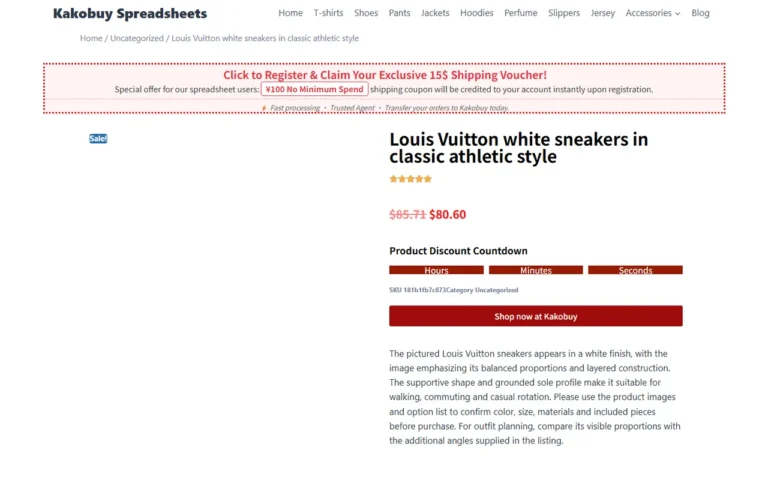
For this jacket, the specs show a stand collar, zip front, and zip hand pockets, with sizes S through XL; some color codes separately note a detachable or fixed hood, and colors can't be treated as the same configuration. The page also shows inconsistencies in fabric composition: one area says cotton, another says 100% polyester. So before comparing agents, record the specific color code and corresponding specs separately.
Use this checklist:
- Is the original product link exactly the same?
- Is the color code consistent, with or without a hood?
- Is the size consistent, and have you saved the seller's chest and shoulder measurements?
- Does the product page still open normally, and are the variants still selectable?
- Does the product information shown on Kakobuy match the original page's images and text?
If any item can't be confirmed, mark the status as "pending verification" rather than treating two agents' quotes as quotes for the same product.
Verify the QC Entry in Kakobuy First
The information page clearly shows Kakobuy as a purchasing agent and provides a View QC Photos entry. This entry lets you view warehouse or product inspection images; it is not a seller guarantee and doesn't automatically prove that the filling, fabric, or hood structure meets expectations.
Verify in this order:
- Go to the corresponding Kakobuy product page.
- Check the product name, original link, and selected variant on the page.
- Find the View QC Photos or similar QC viewing entry.
- Compare images to confirm color, size label, overall structure, and obvious appearance details.
- Keep a record of any unclear or inconsistent details and confirm with customer service or the seller.
If the page doesn't show a button, field, or image, don't assume Kakobuy offers the same feature based on another agent's interface. This article only explains verification methods based on visible Kakobuy information on the verified page.
Record Costs in Four Separate Parts
Costs between agents can't be judged by the number on the product page alone. For the same jacket, record the product amount, service fee, packaging-related costs, and international shipping separately, and note whether each item is estimated before ordering, confirmed at the warehouse stage, or shown only at settlement.
| Cost Item | Evidence to Verify for Kakobuy | Conditions for Comparing with Other Agents |
|---|---|---|
| Product Amount | Current amount on product or order page | Same link, color, and size |
| Service Fee | Official fee description or settlement details | Same billing rules and exchange rate basis |
| Packaging Cost | Actual description on warehouse or packing page | Same packaging requirements and parcel count |
| International Shipping | Destination, weight, volume, and route quote | Same destination, weight, volume, and route type |
There is currently no complete cost evidence from both parties at the same time, destination, and packaging conditions, so we can't output a conclusion on which agent is cheaper. In particular, don't mistake a single product reference price for the final landed price, as service fees, international shipping, and other settlement items may not be determined yet.
When It's Appropriate to Compare with Another Agent
Comparison is meaningful only when another agent is still accessible and can provide current page or settlement evidence for the same product link, variant, and destination. The comparison record should at least include:
- Whether the product link and variant are retained.
- Whether you can access product inspection or QC viewing.
- How the service fee is calculated.
- Packaging and storage related fees.
- Billing parameters for international shipping.
- Clear replies from customer service on fabric, hood configuration, and size issues.
If another agent only shows promotional pages, historical screenshots, or cannot enter the actual settlement process, list it as pending further investigation, and do not rank or claim that Kakobuy has a price or service advantage based on that.
Stop Comparison Boundaries for This Jacket
Pause ordering or platform comparison if any of the following occurs:
- The product link is invalid, the page is inaccessible, or the variant has disappeared.
- QC photos cannot be viewed, or the images don't match the selected color and size.
- The seller hasn't confirmed conflicting specs such as fabric composition or hood configuration.
- Another agent cannot provide current cost evidence under the same conditions.
- Final international shipping still depends on unconfirmed weight, volume, or route.
Conclusion: Kakobuy can serve as a clear entry point in the current verification process: first confirm the product and variant, then view QC, then break down costs. Whether it is superior to other agents, existing evidence is insufficient to judge. Only after completing records under the same conditions can the comparison reflect real differences, rather than page displays, historical information, or name impressions.