Kakobuy Sneaker Guide: Uppers, Outsoles & Training
Kakobuy Sneaker Guide: Uppers, Outsoles & Training
When you're viewing a pair of sneakers on a Kakobuy product page, the real question isn't "does it look good?" but whether the upper, outsole, midsole, and accessory info can support your daily training, smart-casual office, or short-duration activity needs. 👟
This article is for buyers who have already found the target product and are preparing to verify page details and QC photos. It is not suitable for judging real comfort, durability, professional athletic performance, or brand authenticity that isn't shown on the page. Page info, stock, sizing, and after-sales conditions should all be based on the live page at the time you view it.
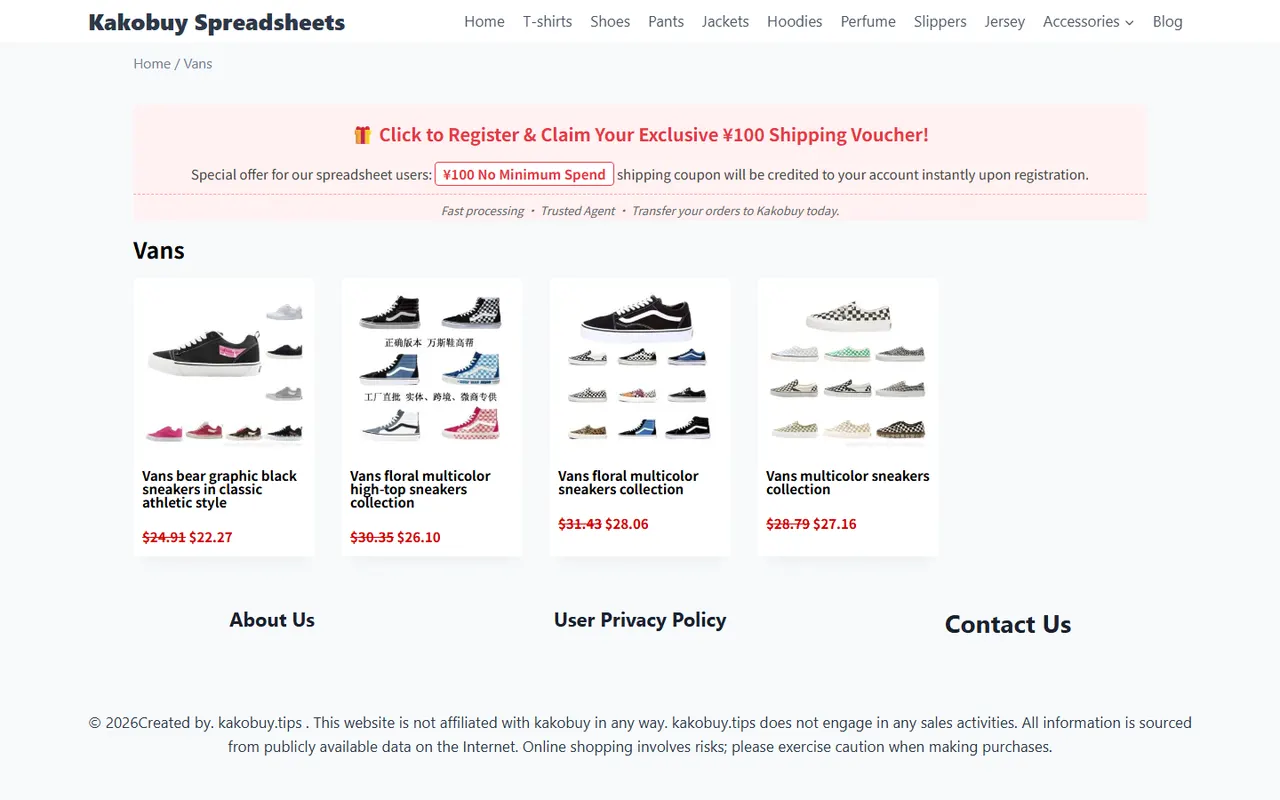
Image: Sneaker product info viewing example
What purchase questions does this sneaker product guide answer
Whether a shoe suits your task usually depends on four layers of verifiable info:
- Upper coverage: see if the page shows mesh, synthetic material, leather-like, or mixed panel construction.
- Lacing system: confirm eyelet count, tongue structure, and instep adjustment room.
- Midsole and outsole: observe thickness, tread pattern, seams, and sole shape.
- Accessories and page description: check sizing, color, quantity, and listed inclusions.
This info can help narrow your options but cannot replace actual try-on testing. Page images only show what the product displays, not directly proving weight, breathability, cushioning, or long-term wear resistance. 🔎
How to locate upper, sole, and accessory info on the product page
When reading a product page, follow this order: basic specs—structure images—purchase conditions—QC evidence, rather than just looking at the first main image.
First record the clearly stated name, color, size, and quantity. If some info is missing, don't fill it in from appearance. For example, the upper looking like a certain material doesn't mean the page has confirmed it; the outsole tread looking suitable for outdoors doesn't mean the page promises specific grip performance.
Then view images from different angles, focusing on toe, side, heel, sole, and tongue. If the page only shows one side or a partial view, left-right symmetry, inner structure, and outsole completeness need to be checked with QC photos later.
Record accessory info separately. Shoe box, spare laces, hang tags, or other attachments are only known if the page explicitly shows or states them. Don't assume unseen items will be included. 📦
Upper coverage, lacing system, and wearing adjustment room
Start with the visual structure of the upper: which areas have continuous coverage, and which use mesh, panels, or cutouts. More coverage often means a more complete visible structure, but you can't infer temperature adaptability or feel from that.
The lacing system relates to instep adjustment room. Check:
- Are eyelets evenly spaced;
- Does the tongue extend under the laces;
- Are laces obviously offset or different lengths;
- Are the collar and heel consistent left vs right;
- Does the page clearly offer width or size options.
If you need frequent brisk walking, stairs, or short-duration training, prioritize checking if the lace area can be securely adjusted. But "adjustable" doesn't mean "stable when worn," as foot shape, sock thickness, and size choice still affect the actual fit.
Midsole shape, outsole tread, and their relation to training scenarios
Look at midsole and outsole separately. The midsole is the shape and thickness in the middle of the sole; the outsole is the tread, rubber areas, or other visible structures facing the ground.
Use this method when viewing the page:
- From the side view, see if the midsole contour is continuous front-to-back and if there's obvious height change.
- From the bottom view, see if the tread pattern covers major load-bearing areas.
- Check if toe, forefoot, arch, and heel have different tread designs.
- Compare left and right soles, confirm tread direction and edge finishing match.
- Note if the page clearly states intended use; if not, don't expand the use case on your own.
| Page visible info | What you can judge | What you cannot conclude |
|---|---|---|
| Upper coverage and panel structure | Understand appearance structure and inspectable parts | Cannot prove breathability, softness, or water resistance |
| Midsole side profile | Understand sole contour and visual thickness | Cannot prove cushioning, support, or energy return |
| Outsole tread | Identify tread pattern and left-right consistency | Cannot guarantee grip or wear resistance on specific surfaces |
| Page scenario description | Understand seller or page-provided usage description | Cannot replace independent testing or long-term use records |
Daily training, smart-casual office, and short-duration activity have different priorities. Smart-casual office usually cares more about overall appearance, upper coverage, and sole edges; short-duration activity needs attention to lacing, collar, and tread; training should also check if the page provides enough structural info. If page info is insufficient, the safest conclusion is "insufficient data to confirm," not forcing a classification. 🏃
Differences in suitability for daily training, smart-casual office, and short-duration activity
Daily training: focus on sole structure, lace anchoring area, and left-right consistency. If the page doesn't state training use, don't treat the design as proof of athletic performance.
Smart-casual office: focus on upper coverage, sole edges, and overall visual condition. Commute shoes may be worn for long periods, but page images alone cannot prove comfort or lifespan.
Short-duration activity: focus on size info, collar structure, and lacing system. Short-term use may have lower info completeness requirements than long-term training, but still don't skip size and left-right consistency checks.
If your use includes long distance, complex surfaces, or high-intensity training, lower your confidence when page data is insufficient, and look for pages with more complete specifications. ✅
QC photos: check left-right consistency and edge details
When you receive QC photos, first check if they include enough angles, then inspect details. Don't just look at a single front photo, because many issues appear on the side, heel, or sole edge.
Use this checklist:
- Are left and right shoes' colors, patterns, and panel placements consistent;
- Any obvious difference in toe shape;
- Are eyelets, tongue, and heel height symmetrical;
- Any obvious glue overflow, gaps, or layering on midsole edges;
- Is the outsole tread complete, any abnormal deformation at edges;
- Does the shoe box, tags, and accessory count match page info;
- Can you clearly see the areas you care about in the photos.
If the photos lack angles, have heavy obstruction, or can't show key areas, request additional photos. Don't interpret blurry areas as automatically normal, nor treat slight visual differences as functional defects.
If account and order screenshots contain name, address, phone, order number, or payment info, you must cover them before public display. 🔐
What you cannot infer from page appearance: comfort, lifespan, or tested performance
Product images support appearance and structure verification, but cannot prove:
- Whether it feels soft or causes blisters;
- Whether it deforms after long-term use;
- Outsole grip on specific surfaces;
- Whether the midsole provides cushioning or energy return;
- Whether the upper is truly breathable, waterproof, or scratch-resistant;
- Whether actual sizing perfectly matches your foot shape.
So, content without clear evidence from the article, product page, or QC photos should be marked as "unverified." That's more helpful than using adjectives like "comfortable," "durable," or "professional" that lack testing data.
This article was prepared by the Panda-Buy Editorial Desk from an editorial perspective, using page-visible information and provided image evidence for automated content verification. It does not represent a real person purchasing, trying on, receiving, or testing. Before publishing, re-check the latest product page, sizing, stock, accessories, and QC photos.
Final action: complete product info review by training task
Before submitting a purchase or warehouse decision, do this four-step review:
- Write down your main use: daily training, smart-casual office, or short-duration activity.
- Record the upper, sole, size, color, and accessory info the page clearly shows.
- Separate "page confirmed" from "appearance-based guesses."
- When QC photos arrive, re-check left-right consistency, sole tread, and edge details.
This method saves time from repeated confirmations and misjudgments, not a fixed money amount; it also adds verification steps and waiting time for photos. It's suitable for buyers who value info completeness and want to reduce appearance mismatch risk before shipping; not for those needing professional athletic performance guarantees, actual try-on feedback, or long-term durability data.
If the page can't provide enough info, or QC photos can't cover key areas, it's not recommended to confirm based on appearance alone.
Article images
Agent Platform Shopping FAQ
1. Why doesn't the Kakobuy platform use Google Sheets?
Google Sheets is more suitable for tables with a small number of products. When product entries increase, loading becomes very slow, the system noticeably lags, browsing on mobile is even worse, and finding products is extremely inconvenient. For the same product data, the Kakobuy website spreadsheet loads faster and has better visual presentation.
2. What product categories can be browsed in the Kakobuy spreadsheet?
The Kakobuy website spreadsheet includes products ranging from shoes, clothing, bags, accessories, jerseys, perfumes, hats, scarves, belts, and various home lifestyle items.