Kakobuy Backpack Listing Freshness
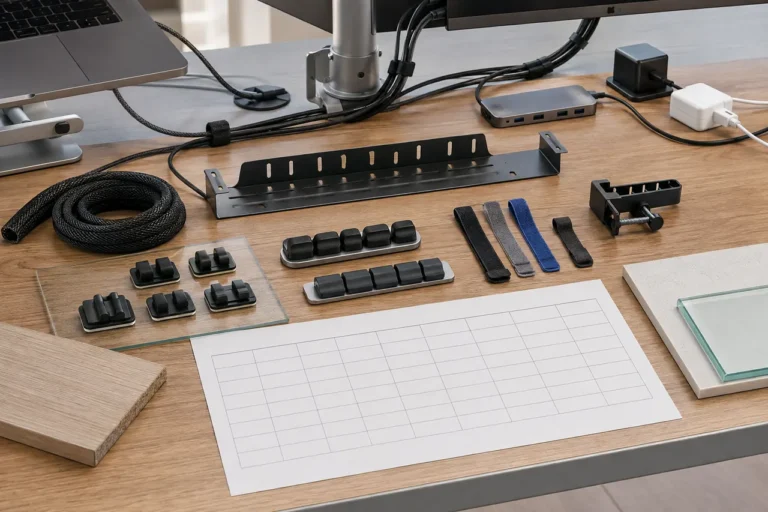
Caption: Use kakobuy page and spreadsheet records together to review whether a backpack candidate is still suitable for ordering.
This article is for users who have already added a particular backpack to their kakobuy candidate list but are unsure whether it can still be purchased now. After reading, you should be able to complete a basic review: open the candidate page, record price, color, specifications, stock cues, and image changes, then decide to order, replace the candidate, or temporarily put it on hold.
Situations where this does not apply should also be stated first: if you need to confirm brand authenticity, seller backend inventory, real-time transaction prices, or need platform customer service to promise that a certain logistics route will definitely work, relying only on public pages and Google Sheets records is not enough. In that case, contact kakobuy customer service before ordering or wait for warehouse inspection results. The verification date of this article is 2026-09-14, and page prices, inventory, promotions, and link statuses may change after that.
Why Backpack Candidates Need Freshness Checks
Backpacks are a type of product that can easily "appear to still be there" while the actual purchase risk has increased. Common changes include colors selling out, specification names being altered, promotional prices ending, main images being replaced, listings being taken down and redirecting to similar pages, or pages still opening but key information being incomplete.
For kakobuy users, an outdated candidate affects three things:
- Budget estimation before ordering: product price, domestic shipping within mainland China, international shipping, and customs declaration fees all affect total cost.
- Inspection judgment after warehousing: kakobuy inspection mainly checks appearance information such as style, quantity, color, size, and model. The clearer the candidate record, the easier it is to judge later whether the wrong item was sent.
- Return and exchange window: kakobuy offers a 5-day no-reason return and exchange service within 120 hours after warehousing, but special cases such as customized items, restricted items, intimate apparel, food, and products where the warehouse has been asked to remove packaging, tags, or accessories do not apply.
So a backpack candidate is not something you can just leave in your favorites and be done. A truly useful candidate needs to answer a specific question: Does the page I see today still support me ordering as originally planned? 🎒
What to Check First on the kakobuy Website Page
After opening the candidate page, don't rush to look at whether the images are attractive. It is recommended to check in the order of "can I order, what to order, how much it might cost."
Prioritize checking these visible page pieces of information:
- Whether the page opens normally, without redirects, 404 errors, blank pages, or loading failures.
- Whether the product title still points to the same type of backpack rather than jumping to another product.
- Whether the price is still displayed, and whether the currency and value match your last record.
- Whether specification options such as color, size, capacity, and style are still visible.
- Whether the target color or specification shows cues like sold out, unavailable, or out of stock.
- Whether the main image and detail images have obviously changed, especially the bag shape, shoulder straps, zippers, or outer pocket positions.
- Whether the page shows any purchase restrictions, special shipping notes, or after-sales limitation notices.
If the page information is insufficient, do not treat "it can still open" as "it can still be bought." For proxy purchasing, accessibility is only the first step; being able to buy the correct color, correct specification, and acceptable price is the focus of the review.
How Google Sheets Preserves Last Records and Pending Items
The role of Google Sheets is not to replace the page, but to preserve "what was seen last time" and "what has changed this time." If you only write a product link in a cell, it will be hard to judge after a few days whether the candidate is outdated.
It is recommended to keep at least these fields for each backpack candidate:
| Field | Recording Method | Purpose |
|---|---|---|
| Candidate Name | Short name, e.g., "Black Commuter Backpack A" | Prevent confusion among multiple links |
| Product Link | Keep the original URL | Facilitate rechecking page status |
| Last Price | Write amount and currency | Compare promotional price or price increase |
| Target Color/Spec | Record exactly as on page | Facilitate inspection and rechecking |
| Page Status | Opens, redirects, out of stock, insufficient info | Quickly filter candidates |
| Review Date | YYYY-MM-DD | Determine if record is outdated |
| Pending Items | E.g., "Is black still selectable" | To be checked before ordering |
Do not overwrite old records in the table. A safer approach is to add a new column "This Review Result" or use date columns to append records. This way, even if the page changes, you can see the change trajectory.
If multiple team members maintain the candidate table, it is recommended to unify status terms, such as: proceed, needs customer service confirmation, replace candidate, pause ordering. The more stable the status terms, the more time saved in filtering later.
Step-by-Step Comparison of Price, Color, Specs, and Stock Cues
A practical review can be completed in 6 steps:
- Open the original link in Google Sheets and confirm the page is accessible.
- Compare with last record, check whether the title and main image are still the same backpack.
- Check the current price and record the verification date. kakobuy provides reference exchange rate information of 1 USD ≈ 6.22 CNY, but actual payment, top-up, and settlement may be affected by platform pages, payment methods, and timing.
- Click on color and specification options to confirm the target item is still selectable.
- Record stock cues, but do not write page button states as confirmed stock. Public pages usually only provide cues and cannot guarantee the seller will actually ship.
- Write differences into the table and give the next action.
You can handle differences using the following judgments:
- Minor price change: recalculate budget and then decide whether to continue.
- Color unavailable: if color is a core condition, replace the candidate or contact customer service to confirm.
- Spec name change: take a screenshot or record the page text to avoid inconsistency between order notes and inspection standards.
- Obvious main image change: pause ordering and recheck detail images and product title.
- Page opens but information incomplete: mark as pending and do not proceed directly.
The focus here is not to pursue a beautiful table, but to make pre-order judgments reviewable, explainable, and transferable. ✅
How to Handle Image Updates and Link Opening Results
Image changes for backpacks need to be viewed cautiously. A changed main image does not necessarily mean the product has changed; but if the bag shape, logo area, strap structure, pocket position, or color texture is noticeably different, it should be treated as a high-risk change.
When handling image changes, you can record three types of results:
- No obvious change: keep the candidate, but still record the review date.
- Partial change: e.g., color image replaced, detail images reduced, write down the changed location.
- Key change: e.g., style turned into another bag shape, pause ordering or replace the candidate.
Link opening results should also be graded, not just "doesn't open." For example: page inaccessible, redirects to store homepage, redirects to similar product, page opens but specs empty, page normal but target color unavailable. These statuses correspond to different actions.
If kakobuy warehouse later provides QC images, they should be viewed together with the original candidate record. kakobuy's inspection rules mainly cover appearance information checks and prohibited item screening; sealed packaging or non-apparel, bags, shoes items with sealing labels usually will not be opened for inspection. For backpacks, color, style, quantity, and appearance damage are more realistic checkpoints.
Evidence Boundary: Page Information Is Not Naturally Accurate
Page review can reduce the probability of wrong orders, but cannot eliminate all risks. Public product pages may have delays, sellers not updating promptly, image differences from actual product, vague color naming, measurement errors, or spec options showing normal but actually out of stock.
Therefore, when recording, avoid these phrasings:
- Do not write "guaranteed in stock," instead write "page shows target spec selectable."
- Do not write "material is good," instead write "page description contains certain material info, pending appearance recheck with QC images after warehousing."
- Do not write "best deal," instead write "calculated based on current page price and estimated fees, lower than last record."
- Do not write "authentic" unless there is reliable authorization, official proof, or platform-verifiable source.
kakobuy can help users purchase products from Chinese e-commerce platforms and provide proxy purchasing, freight forwarding, and quality inspection related services. It can help you complete the process, but it does not mean every seller's information on public pages is naturally accurate. The truly safe approach is to place the page, spreadsheet, customer service confirmation, and warehouse inspection in the same evidence chain. 🧾
Three Common Handling Methods After Review
After completing the review, do not leave the candidate in a vague state. Typically it can be classified into three categories.
The first is proceed with ordering. Suitable for candidates where the page is normal, target color and spec are selectable, price is still within budget, and images have no key changes. Before ordering, still confirm product cost, domestic shipping within mainland China, international shipping, and customs declaration fees. kakobuy's fee structure typically includes product cost, international shipping, and customs declaration fees, with the declaration fee varying by shipping method.
The second is replace the candidate. Suitable for situations where color is out of stock, price has risen significantly, image changes affect judgment, or the page redirects to an unrelated product. When replacing, do not just look for similar appearance; re-record specs, price, page status, and review date.
The third is pause the candidate. Suitable for situations where the page opens but information is insufficient, seller's notice is unclear, logistics restrictions are uncertain, or the intended use has high requirements for color, size, or capacity. Pausing is not giving up, but avoiding pushing risk to after warehousing when evidence is insufficient. ⏸️
Final Action: Order, Replace, or Pause the Candidate
If you need to process a kakobuy backpack candidate today, you can finish directly in this order:
- Open the original link in Google Sheets and confirm page status.
- Record the price, color, specs, and image changes seen on 2026-09-14.
- Compare with last record and write differences into "This Review Result."
- Mark the candidate as proceed with ordering, replace candidate, or pause ordering.
- If proceeding, keep the original text of target color and spec for later warehouse QC checks.
- If there is return/exchange risk, check QC images as soon as possible within the 120-hour window after warehousing and decide whether to request handling.
In terms of cost savings, the review can avoid repeated orders, return/exchange communication, and international shipping waste caused by old prices, out-of-stock specs, or wrong colors; the exact savings must be calculated item by item based on product price, domestic shipping, international route, and package weight. The added risk is that the review takes a few extra minutes, and page cues still cannot replace actual seller shipment and warehouse inspection.
This method is most suitable for users who are sorting through multiple backpack candidates, need to control budget, and want to reduce the probability of mispurchases. It is not recommended to proceed when page redirects are abnormal, target specs are invisible, brand authenticity cannot be proven, or you cannot accept color deviations. Being steady is usually cheaper than fixing things after the fact. ✨