Kakobuy Pants Catalog: Filter by Cut and Details
Treat the Catalog Page as a Starting Point
If your goal is to organize Kakobuy pants candidates, the first step is not deciding whether they are worth buying based on images. First confirm which category the current page belongs to. The current page path shown is Home / All / Pants, and the page navigation also lists other entries such as Electronics, Shoes, and Jackets. This confirms that the current evidence concerns the pants catalog, but it does not establish the page structure or product information for other categories.
The focus when browsing the catalog is to record the fields that actually appear on each card before deciding whether to proceed with further checks. The page displays color, pants category, and style description. These fields work for initial grouping, but they cannot replace the model, size, material, or other specifications found on the detail page.
Build an Initial Screening List with Three Fields
For each candidate, first create one record containing only the information already displayed on the page:
- Color: for example, black, blue, gray, brown, green, or yellow, as actually labeled on the page.
- Pants cut or category: for example, jeans, sweatpants, casual pants, outdoor pants, or shorts, as actually labeled on the page.
- Style phrase: retain the original catalog description to distinguish labels such as everyday casual, athleisure, or performance-oriented styles.
Do not expand style phrases into conclusions about fabric, fit, breathability, durability, or suitability for a particular setting. Catalog cards only show what the page displays and are not enough to prove that a product has features that are not listed.
| Record Field | What It Can Help Determine | What It Cannot Confirm |
|---|---|---|
| Color | Distinguishing similar candidates and avoiding duplicate records | Actual color variation, fabric effect, or how it looks when worn |
| Pants cut or category | Grouping items by denim, athletic, casual, outdoor, or other directions | Specific fit, size range, or wearing comfort |
| Style description | Providing an initial classification clue within the catalog | Material, performance, suitable environment, or quality |
Check the Match Before Opening Details from a Catalog Card
When multiple candidates have similar colors or categories, do not distinguish them by image position alone. First record all the visible text on the card, then open the corresponding entry and verify that the detail page still belongs to the same category and that the color or version description matches.
If the detail page shows multiple options, do not automatically assign the entire page to the original candidate. Clearly record which option you checked. If the page does not provide enough information to distinguish versions, temporarily mark the candidate for further review.
Opening the same card again after returning to the catalog can also help reveal whether the link points to a different page. If the entry leads to a general category page, an unrelated page, or a page that cannot be opened, retain the candidate only as a record awaiting verification. Do not treat it as an item that has already been checked.
Organize Results by Evidence Completeness
After the initial checks, you can divide the list into three groups:
Information Matches
The catalog card and detail page belong to the same category, the color or version description corresponds, and the entry opens consistently. This only means the information is suitable for continued review. It does not mean the product has received a purchase recommendation.
Needs Further Review
The page opens, but it lacks the model, size, material, or other fields that affect evaluation. These candidates can be saved temporarily, but do not fill in missing information based on images or style descriptions.
Do Not Use for Now
The link is broken, the page destination is inconsistent, or the catalog and detail page cannot be shown to represent the same candidate. These records should not be written up as purchase recommendations.
What the Current Evidence Can Support
The existing page evidence supports only basic reading of the pants catalog: confirming the page category, identifying the colors and categories shown on the cards, retaining style phrases, and using them to build a list for further review. It does not provide complete evidence sufficient to confirm sizes, materials, inventory, shipping costs, checkout results, or actual wearing performance.
Therefore, a reliable starting process is to confirm the category first and then copy the visible fields. Next, verify the detail page and the relationship between each entry and its destination one by one. Finally, organize candidates as "matches," "needs further review," or "do not use for now." When detail evidence is missing, stop making specific claims to avoid mistaking catalog labels for product features or purchase conclusions.
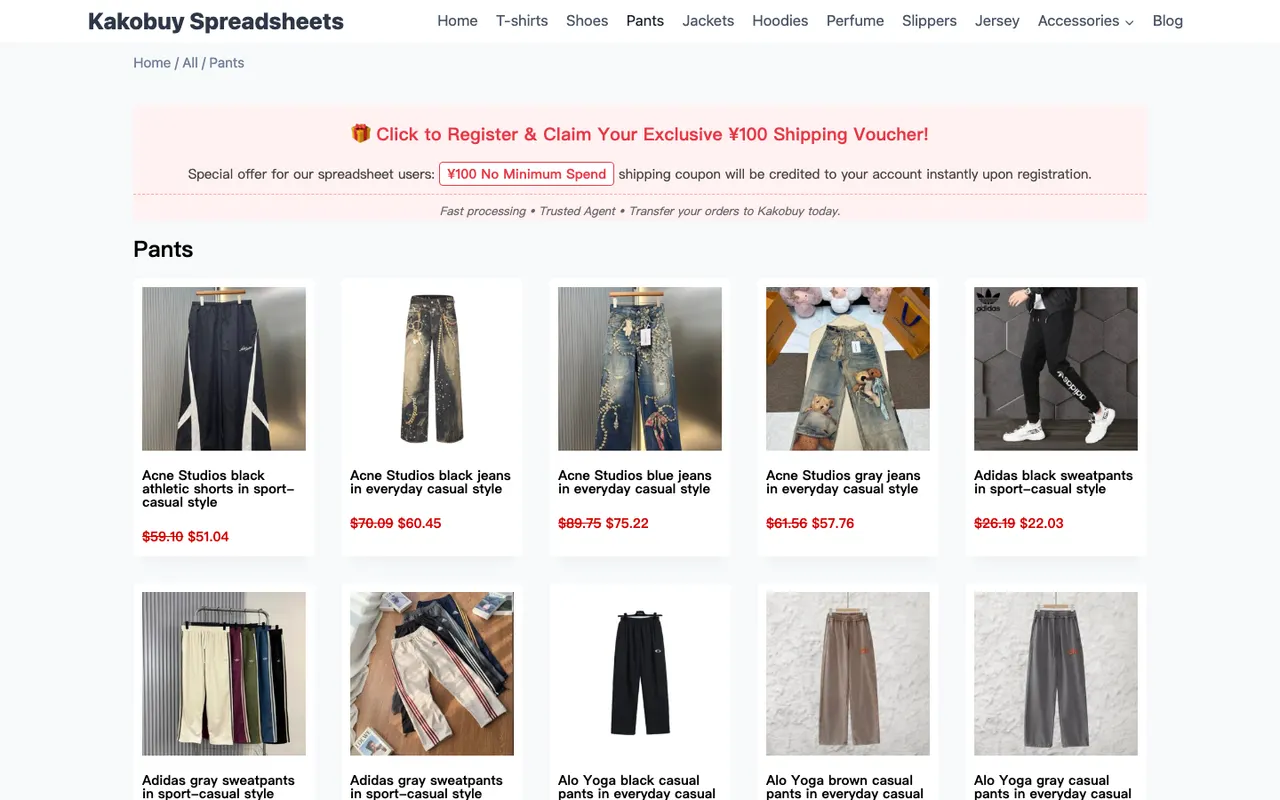
Caption: The specified image is an illustration of a catalog page. It is used only to show how page information is presented and is not a physical product, quality inspection, checkout receipt, or firsthand testing evidence.